The best photo editing apps are no longer locked behind expensive subscriptions.
Whether you’re a casual selfie taker or a photographer who shoots in RAW, free tools now offer professional-grade results.
Keep reading to find the right app for your phone, your style, and your skill level.
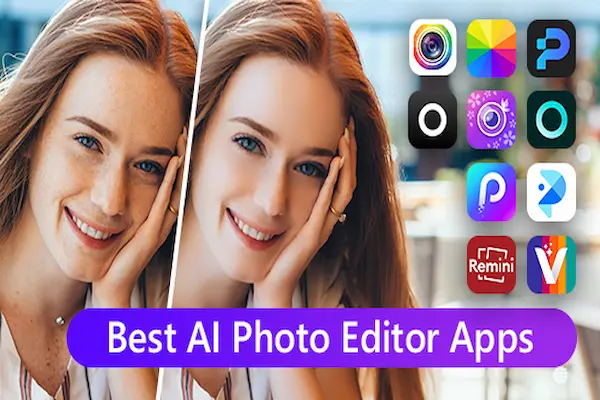
In 2026, the mobile photo editing market is more competitive — and more accessible — than it has ever been.
Apps that once required a desktop and a learning curve now run smoothly on any smartphone, offering AI-powered tools, RAW file support, and one-tap enhancements that deliver stunning results in seconds.
This guide covers the best free photo editing apps available for both iPhone (iOS) and Android right now. For each app, you’ll find a clear description, the main features, how to download it, and direct links to the App Store and Google Play.
No paid recommendations. No sponsored rankings. Just the tools that genuinely deliver.
1. Snapseed — Best Overall Free Photo Editor
Snapseed is widely considered the best free photo editing app available today — and for good reason. Developed by Google, it offers a complete suite of 29 tools and filters at absolutely no cost, with no ads and no in-app purchases.
What makes Snapseed stand out is its non-destructive editing system. Every change you make is stored in a “Stack,” which means you can go back and adjust any individual edit at any time without starting over. It’s the kind of professional-grade flexibility you’d expect from paid desktop software.
Key features include:
- RAW file editing (DNG support)
- Selective Adjust — edit specific areas of the photo by touch
- Healing tool — removes unwanted objects seamlessly
- Curves, Color Balance, and White Balance
- Face Enhance — smooth skin, brighten eyes, sharpen details
- Lens Blur for portrait background effects
- HDR Scape, Glamour Glow, Grainy Film filters
The app is ideal for both beginners looking for quick fixes and experienced photographers who want full manual control. Its version 3.19.0, released on April 20, 2026, is the most stable and refined the app has ever been.
⚠ Note: Snapseed does not include modern AI automation features like generative fill or automatic background removal — those require apps like Picsart or Canva.
How to download Snapseed:
- Open the App Store (iPhone) or Google Play (Android)
- Search for “Snapseed” by Google LLC
- Tap “Get” or “Install” — it’s completely free
- Open the app and import any photo from your gallery
🤖 Download Snapseed — Google Play (Android)
2. Adobe Lightroom Mobile — Best for Professional-Level Editing
Adobe Lightroom Mobile is the industry standard for photographers who want precision, power, and portability. The free tier is genuinely useful — it includes RAW/DNG editing, a full preset library, and basic color adjustments that rival many paid apps.
In 2026, Lightroom’s AI features have made major leaps. The app now includes Generative Remove (erase objects with AI), Distraction Removal (automatically removes background people and reflections), Lens Blur for depth-of-field effects, and Scene Enhance for outdoor photos. Cross-device sync means your edits travel seamlessly between your phone, tablet, and desktop.
Main features:
- Full RAW and DNG file support
- Advanced color grading with curves and HSL
- AI-powered Generative Remove and Distraction Removal
- Masking and selective adjustment tools
- Hundreds of professional presets
- Cloud sync across all devices
- AI Bokeh and AI Noise Reduction
The free version is limited to basic tools and 1GB cloud storage. Full Standalone Lightroom plan costs $11.99/month with 1TB of storage, which is excellent value for regular photographers. The Photography Plan at $14.99/month adds Photoshop desktop access.
🤖 Download Lightroom Mobile — Google Play (Android)
3. Picsart — Best Free Photo Editing App for Social Media Creators
Picsart has evolved into one of the most powerful all-in-one creative platforms available on mobile. It goes far beyond basic photo editing — it’s a complete photo, video, and design app built specifically for content creators who publish to Instagram, TikTok, and YouTube.
With 80,000+ professionally designed templates and over 25 AI tools, Picsart is the go-to for anyone who needs polished, shareable content fast. The free version is solid, though it limits saves to 3 per day — a realistic constraint for light users that won’t slow down casual creators.
Standout features:
- AI Background Removal — one-tap, clean results
- AI Expand — adapt any photo to different aspect ratios
- AI Writer — auto-generate captions for social posts
- 80,000+ templates for stories, reels, thumbnails, and posts
- Video editing integrated with photo tools
- Stickers, collages, drawing tools
- Low-quality image enhancement with AI
📱 Download Picsart — App Store (iPhone)
🤖 Download Picsart — Google Play (Android)
4. PhotoDirector — Best Free App for Portrait and Selfie Editing
If you’re looking for the best photo editing app for smoothing skin, removing blemishes, and retouching portraits, PhotoDirector by CyberLink is the top free option in 2026. Its dedicated Skin Smoothener uses AI to deliver one-tap results with a control slider to prevent over-editing — a smart, natural-looking approach that most beauty apps get wrong.
PhotoDirector also stands out for its versatility: it’s available on iPhone, Android, and desktop, making it a complete cross-platform solution. You can start a portrait edit on your phone and finish it on your computer.
What you can do with PhotoDirector:
- AI Skin Smoothener — natural-looking results with one tap
- Object Removal — erase distractions from backgrounds
- Sky Replacement — swap dull skies in one tap
- Body Slimmer and Height Adjuster tools
- AI blemish removal, eye brightening, and virtual makeup
- 400+ themed filters and effects
- Access to iStock and Unsplash royalty-free content (paid plan)
The free version is among the most generous in the portrait editing niche. The paid version unlocks a library of over 4 million stock assets.
🤖 Download PhotoDirector — Google Play (Android)
5. Canva — Best Free Photo Editing App for Non-Designers
Canva is not a traditional photo editor — it’s a full creative platform. But in 2026, after its landmark acquisition of Affinity (now integrated into Canva as a free app), it has become one of the most capable free tools for anyone who needs to create content that looks professionally designed.
You can adjust colors, crop, apply AI-powered enhancements, remove backgrounds, smooth skin, and create graphics — all within the same app. And with its massive template library covering everything from social posts to business presentations, Canva is uniquely useful for marketers, small business owners, and casual creators who want great results without any design experience.
Key features in the free plan:
- Photo editing: brightness, contrast, shadows, highlights, crop
- AI Background Removal
- Skin smoothing and auto-enhance
- AI Generative Image creation
- Video editing in the same timeline as photo editing
- Thousands of templates for Instagram, TikTok, LinkedIn, and more
- Access to Affinity-powered design tools (2026 integration)
📱 Download Canva — App Store (iPhone)
🤖 Download Canva — Google Play (Android)
6. Google Photos — Best Free App for Effortless Everyday Editing
If you want your photos to look great with zero effort, Google Photos is the answer. It’s the easiest option on this list — and it’s already installed on most Android phones. iPhone users can download it for free from the App Store.
What makes Google Photos special in 2026 is its AI editing tools that work automatically. Magic Eraser removes people, objects, and distractions from the background with a single tap. Unblur can fix photos that were blurry when you took them — even photos from years ago. The results are surprisingly clean and natural.
Google Photos also offers 15GB of free cloud storage, which means your photos are automatically backed up and accessible across all your devices. It’s the ideal app for anyone who wants a free photo organizer and basic image editor in one place.
📱 Download Google Photos — App Store (iPhone)
🤖 Download Google Photos — Google Play (Android)
Which Photo Editing App Is Right for You?
Here’s a quick decision guide to help you choose:
- Want the most complete free editor with no limits? → Snapseed
- Shoot RAW and want professional color grading? → Adobe Lightroom Mobile
- Create content for Instagram and TikTok? → Picsart or Canva
- Want the best selfie and portrait retouching? → PhotoDirector
- Want effortless results with no learning curve? → Google Photos
- Love film presets and a strong aesthetic community? → VSCO
All of the apps listed here have a genuinely functional free version. We recommend downloading two or three and testing them with your own photos — the best photo editing app is ultimately the one that fits your workflow.
This content is independent and has no affiliation, sponsorship, or endorsement from any of the companies or platforms mentioned above. Links to app stores are provided purely for convenience and do not constitute a commercial recommendation.